
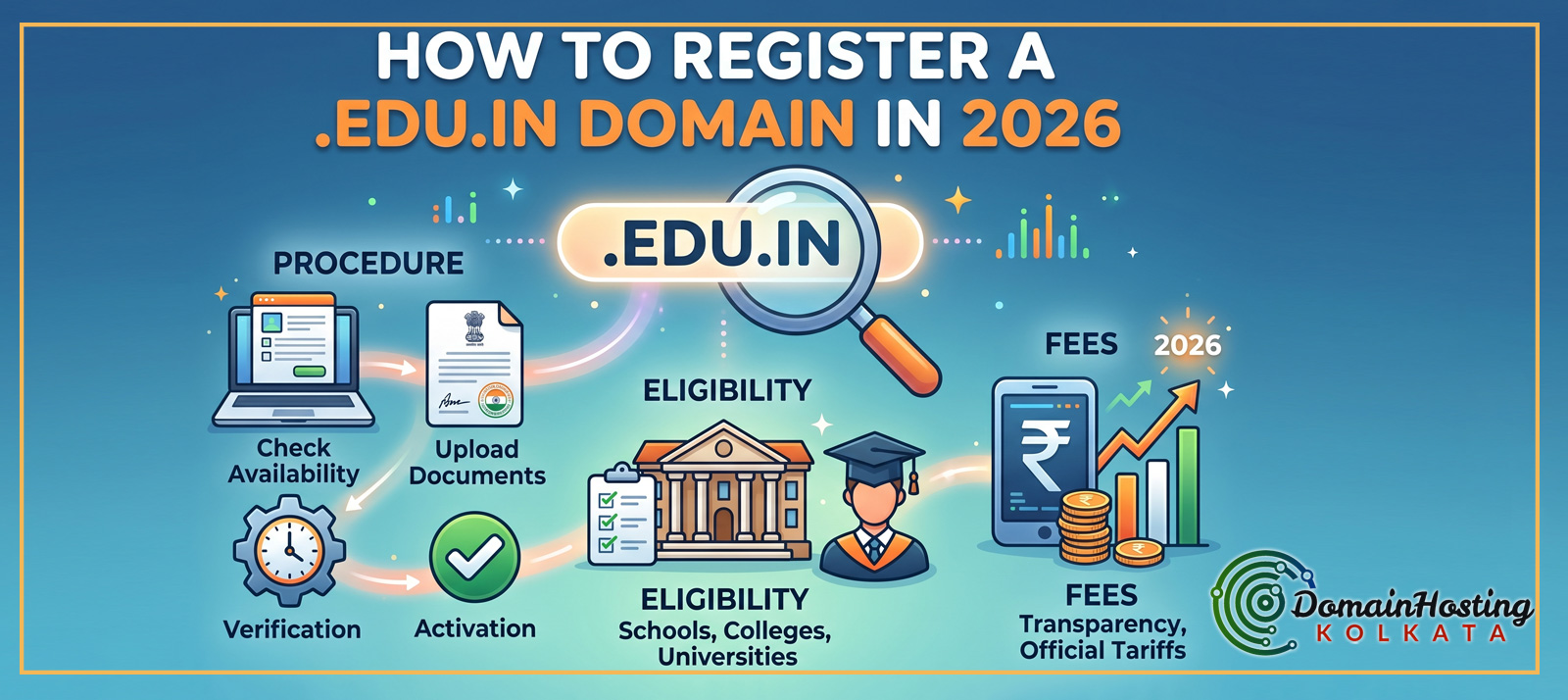
How to Register a .edu.in Domain in 2026 (Procedure, Eligibility, Fees)
‘How to Register a .edu.in Domain in 2026 (Procedure, Eligibility, Fees)‘ an Ultimate Guide by Domain Hosting Kolkata, a premier web hosting company.
If you are running an educational institution in India, establishing a strong digital footprint is no longer optional—it is a fundamental requirement. Students, parents, and educators turn to search engines to find credible academic information. In the vast sea of .com, .in, and .org extensions, nothing communicates trust, authority, and official academic status quite like a .edu.in domain.
Having spent over 12 years analyzing search trends, conducting technical SEO audits, and building web strategies, I can confidently say that search engine algorithms treat .edu.in domains with a high level of respect. This extension acts as a massive trust signal, helping institutions rank better for educational queries.
Whether you are a university upgrading your digital infrastructure or an institute planning to launch new computer science training batches for CBSE students this coming April, this comprehensive guide will walk you through the exact procedure, eligibility criteria, and fee structure for securing your .edu.in domain in 2026.
1. What is a .edu.in Domain?
A domain name is your address on the internet. The .edu.in extension is a specialized Country Code Top-Level Domain (ccTLD) reserved strictly for educational institutions operating within the Republic of India.
Unlike a standard .com or .in domain, which anyone with a credit card can purchase in five minutes, a .edu.in domain is restricted. You cannot buy it from popular commercial registrars like GoDaddy, Namecheap, or Hostinger. Because its registration is heavily guarded and requires manual verification of institutional credentials, it carries an inherent prestige. When users see a .edu.in URL, they immediately know they are dealing with a legitimate, recognized, and verified academic entity.
2. Why Your Institution Needs Register a .edu.in Domain Extension (SEO Benefits)
From a digital marketing and web analytics perspective, owning this domain is akin to having a VIP pass in search engine rankings. Here is why investing the time to get this domain is crucial:
Unmatched Search Engine Authority
Search engines prioritize credible sources, especially when it comes to education (which falls under the “Your Money or Your Life” or YMYL content guidelines). Because .edu.in domains are strictly vetted by the government, search engines view them as authoritative seed sites. This means that the content you publish—whether it’s syllabus updates, admission notices, or educational blogs—is indexed faster and is more likely to rank at the top of search results.
Programmatic SEO and Topical Authority
If you are planning to build topical authority around specific subjects, this domain is a powerful foundation. You can leverage programmatic SEO strategies to create hundreds of localized pages for your courses. Because the root domain is highly trusted, these dynamically generated pages will rank with much less effort compared to a standard commercial domain.
Easier Link Building
Other websites, government portals, and news agencies are much more willing to backlink to a .edu.in website. These high-quality inbound links further cement your website’s authority, creating a positive feedback loop for your overall digital presence.
Advanced Tracking and Analytics
Once your domain is live, you can connect it to advanced webmaster tools. By using custom Regex (Regular Expressions) in Google Search Console, you can easily filter and track how students are discovering your site, allowing you to optimize your content strategy based on real-time data.
3. Who is ERNET India?
To register this domain, you must go through ERNET India (Education and Research Network). ERNET is an autonomous scientific society under the administrative control of the Ministry of Electronics and Information Technology (MeitY), Government of India.
ERNET India is the exclusive domain registrar for educational and research domains in the country. They manage the registration, renewal, and modification processes for .ac.in, .edu.in, and .res.in extensions. In recent years, they have modernized their portal to ensure a fully automated online process, complete with online payment gateways and DNS management panels.
4. Eligibility Criteria for 2026
ERNET maintains strict standard operating procedures (SOPs) to prevent unauthorized private entities from exploiting the educational namespace. To be eligible for a .edu.in domain in 2026, your organization must fall into one of the following categories:
- Affiliated Schools: Schools affiliated with recognized national or state boards (e.g., CBSE, ICSE, State Boards).
- Colleges and Universities: Degree-granting colleges and universities recognized by authoritative bodies such as the UGC (University Grants Commission), AICTE (All India Council for Technical Education), or Medical Council of India.
- Government Training Institutes: Training centers directly operated or heavily funded by the state or central government.
- Recognized Autonomous Institutes: Institutions operating under a charter or direct government mandate.
Note on Coaching Centers: Standalone private tuition centers, unverified online course sellers, or private companies offering uncertified workshops are generally not eligible for a .edu.in domain. You must possess verifiable affiliation or accreditation from a recognized Indian educational authority.
5. Documents Required for Registration
Before you begin the online application, ensure you have scanned copies of the necessary paperwork. ERNET’s verification team will manually review these files.
- Authorization Letter: A formal letter written on the institution’s official letterhead. It must state that the person applying (the administrative contact) is authorized to register and manage the domain on behalf of the institution. This letter must be signed and stamped by the Head of the Institution (Principal, Director, or Vice-Chancellor).
- Proof of Affiliation: A clear, scanned copy of the affiliation certificate from the governing academic body (e.g., the UGC approval letter, CBSE affiliation grant letter, or AICTE approval document).
- Proof of Identity: The official ID of the authorized person handling the registration (usually an institute ID card or government ID).
Pro Tip: Ensure all scanned documents are legible, properly aligned, and saved in standard formats (PDF or JPEG) with appropriate file sizes as dictated by the ERNET portal.
6. Step-by-Step Procedure to Register
The registration process in 2026 is fully digital. Follow these precise steps to secure your domain without unnecessary delays.
Step 1: Brainstorm and Verify Domain Name Availability
Your domain name should ideally reflect the exact name or popular acronym of your institution. ERNET does not allow arbitrary or overly generic names (e.g., you cannot register bestcomputerscience.edu.in).
- Go to the official ERNET registry portal: https://registry.ernet.in/
- Use the search bar on the homepage to check if your desired domain name is available.
Step 2: Create a User Account
If the name is available, you need to create an account on the ERNET registry.
- Click on the “Sign Up” or “Register” button.
- Provide your basic details, including your name, designation, official email address, and a working mobile number.
- Verify your account using the OTP (One Time Password) sent to your email and phone.
Step 3: Fill Out the Domain Registration Application
Log in to your newly created dashboard and initiate a new domain registration request.
- Domain Details: Enter the exact domain name you wish to register.
- Registrant Contact: This represents the institution itself. Enter the registered address, official contact numbers, and institutional email.
- Administrative Contact: This is the person authorized to manage the domain (often the IT head or director).
- Technical Contact: This can be the same as the administrative contact, or you can provide the details of your webmaster or hosting provider.
Step 4: Upload the Supporting Documents
Navigate to the document upload section of the form.
- Upload the Authorization Letter (on official letterhead).
- Upload the Affiliation/Accreditation Certificate.
- Ensure the file names are descriptive (e.g., CBSE_Affiliation_Certificate.pdf) and that they do not exceed the portal’s file size limits.
Step 5: Submit for Verification
Once all data is entered and documents are uploaded, submit the application. ERNET’s validation team will manually review your request. This process can take anywhere from a few days to a couple of weeks, depending on the queue and the clarity of your documents.
Step 6: Make the Payment
If your documents are verified and your domain name is approved, you will receive an email notification containing a payment link.
- Log back into the ERNET portal.
- Navigate to the billing section.
- Select the duration for which you want to register the domain (from 1 to 10 years).
- Complete the payment using the online payment gateway (Credit Card, Debit Card, Net Banking, or UPI). Note: ERNET strictly prohibits offline payments like cash or direct bank NEFT for new registrations; it must be done through their portal’s gateway.
Step 7: Domain Activation
Upon successful payment, your domain will be activated. You will receive a confirmation email, and the domain will appear as “Active” in your ERNET dashboard. You are now ready to connect it to your web hosting.
7. Official Fee Structure (2026 Tariffs)
Understanding the cost is crucial for your institution’s IT budget. ERNET India offers flexible registration durations. The prices below are the official tariffs for 2026, inclusive of the mandatory 18% GST.
| Registration Duration | Base Fee (in INR) | Applicable GST (18%) | Total Amount Payable (in INR) |
| 1 Year | 1,000 | 180 | 1,180 |
| 2 Years | 1,950 | 351 | 2,301 |
| 3 Years | 2,925 | 527 | 3,452 |
| 4 Years | 3,900 | 702 | 4,602 |
| 5 Years | 4,750 | 855 | 5,605 |
| 6 Years | 5,700 | 1,026 | 6,726 |
| 7 Years | 6,650 | 1,197 | 7,847 |
| 8 Years | 7,600 | 1,368 | 8,968 |
| 9 Years | 8,550 | 1,539 | 10,089 |
| 10 Years | 9,250 | 1,665 | 10,915 |
Recommendation: If you are certain about the longevity of your institution, registering the domain for 5 to 10 years is highly advisable. Not only does it protect you from future price hikes, but a longer registration period is also considered a minor positive ranking factor by search engines, as it signals long-term commitment.
8. Post-Registration: Setting Up Your Website
Registering the domain is only the first half of the battle; the next step is making your website live.
Updating Nameservers
To connect your new .edu.in domain to your website, you need web hosting. Whether you choose to host directly through ERNET’s data centers or use a third-party commercial host (like AWS, Domain Hosting Kolkata or a dedicated VPS), you will be provided with Nameservers (e.g., ns1.yourhost.com, ns2.yourhost.com).
- Log in to your ERNET domain panel.
- Go to DNS Management.
- Replace the default ERNET nameservers with the ones provided by your hosting company.
- Save the changes. Note that DNS propagation can take up to 24 to 48 hours globally.
Building the Architecture on WordPress
For educational institutions, WordPress is arguably the best Content Management System (CMS). It is highly customizable and SEO-friendly. Once your domain is pointed to your hosting server, you can install WordPress and begin developing the site.
From a development perspective, WordPress allows you to create highly specific functionalities tailored to educational needs. For instance, you can easily deploy custom plugins. Many modern institutes are moving away from generic templates and are implementing bespoke solutions—such as custom-built student result management plugins, secure login portals for parents, or even AI-assisted content generation tools for the institutional blog. By keeping the site dynamic, fast-loading, and strictly structured, you ensure that the technical foundation matches the high authority of your domain name.
9. Common Mistakes to Avoid when Register a .edu.in Domain
The registration process is bureaucratic, meaning minor errors can lead to immediate rejections. Avoid these common pitfalls:
- Mismatched Information: Ensure that the name of the institution on the application form matches exactly with the name on the affiliation letter. Even slight discrepancies can cause delays.
- Improper Letterhead: The authorization letter must be on an official, printed letterhead. Plain paper documents with a rubber stamp are frequently rejected.
- Ignoring Contact Updates: The email address you use for registration is critical. If the administrative contact leaves the institution, ensure the email is updated in the ERNET panel. If you lose access to this email, renewing or modifying the domain becomes a severe administrative headache.
- Letting the Domain Expire: ERNET domains do not auto-renew in the same seamless way commercial domains do. Mark your calendar. If a .edu.in domain expires, the restoration process involves tedious paperwork and potential downtime for your institute’s emails and website.
10. Frequently Asked Questions (FAQs)
Q1: Can a private tuition center get a .edu.in domain?
A: Generally, no. Unless the tuition center is formally recognized by a government educational body or board (like CBSE or AICTE), ERNET will reject the application. Unaffiliated private coaching centers should opt for .com, .in, or .co.in.
Q2: Is it mandatory to buy an IDN (Internationalized Domain Name) in Hindi?
A: ERNET also offers IDNs like .विद्या.भारत or .शिक्षा.भारत. While they are highly encouraged by the government to promote regional languages, the primary .edu.in registration process focuses on the English alphanumeric extension. You can acquire the Hindi variants subsequently.
Q3: How long does the approval process take?
A: Assuming all submitted documents are flawless and clearly legible, the verification process usually takes between 3 to 7 working days.
Q4: Can I transfer my .edu.in domain to GoDaddy or Namecheap?
A: No. ERNET India is the sole and exclusive registrar for these domains. You cannot transfer the domain registration to a private commercial registrar. However, you are completely free to point the domain’s DNS to any hosting provider of your choice.
Q5: What happens if our affiliation is cancelled?
A: The .edu.in domain is contingent upon your institution’s active recognized status. If your affiliation is permanently revoked by the governing body, ERNET reserves the right to suspend or deactivate the domain.
Q6: Can we create subdomains under our .edu.in domain?
A: Yes, absolutely. Once the primary domain (e.g., institute.edu.in) is active, you can create unlimited subdomains through your hosting control panel (e.g., results.institute.edu.in, library.institute.edu.in, or admissions.institute.edu.in) without needing any further permission from ERNET.
Q7: Is there any offline method to pay the registration fees?
A: No. As of recent updates to the ERNET portal, all financial transactions for domain registration and renewal must be processed through the online payment gateway integrated into their website.
Conclusion
Registering a .edu.in domain is a strategic move that pays massive dividends in credibility, search engine visibility, and institutional prestige. While the process is strictly regulated and requires meticulous documentation, the effort is entirely justified.
By following the exact procedures outlined above—from securing the right authorization letters on official letterheads to navigating the ERNET portal and paying the correct tariffs—you ensure a smooth onboarding process. Once activated, pair your authoritative new domain with a robust, well-architected website, and your institution will be perfectly positioned to attract and engage students in the digital age.
Read also: